Pair every AI destination with a device, an observation and an owner.
- Define which endpoints were in scope.
- Keep browser and desktop observations distinguishable.
- List unresolved devices alongside the observed tools.
In this article
Choose the devices your inventory covers#
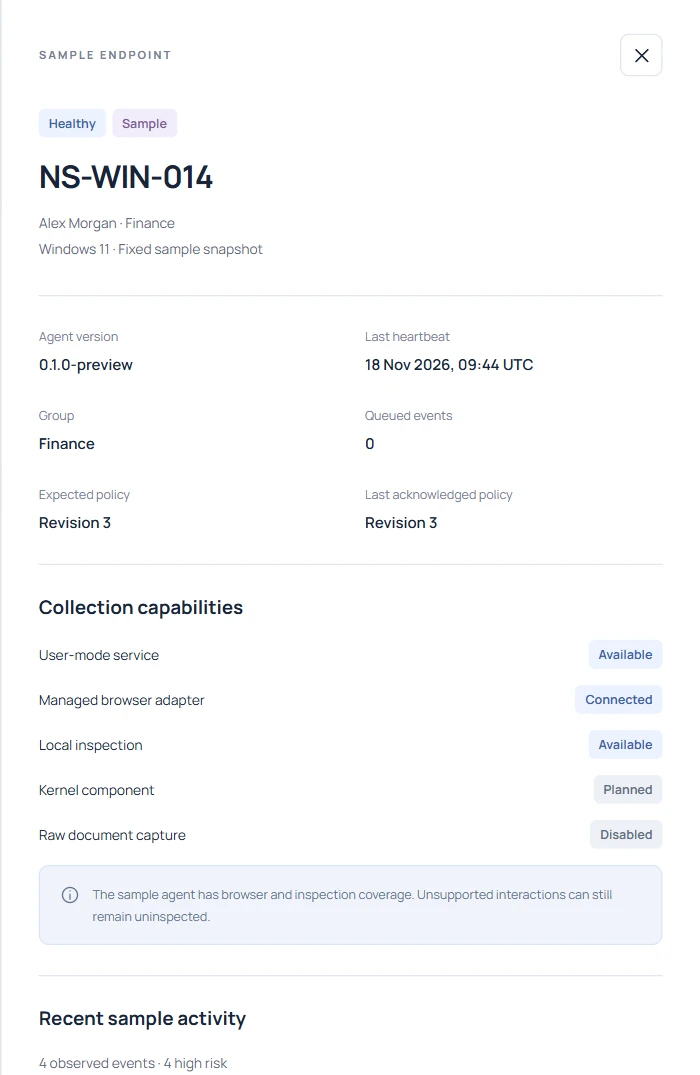
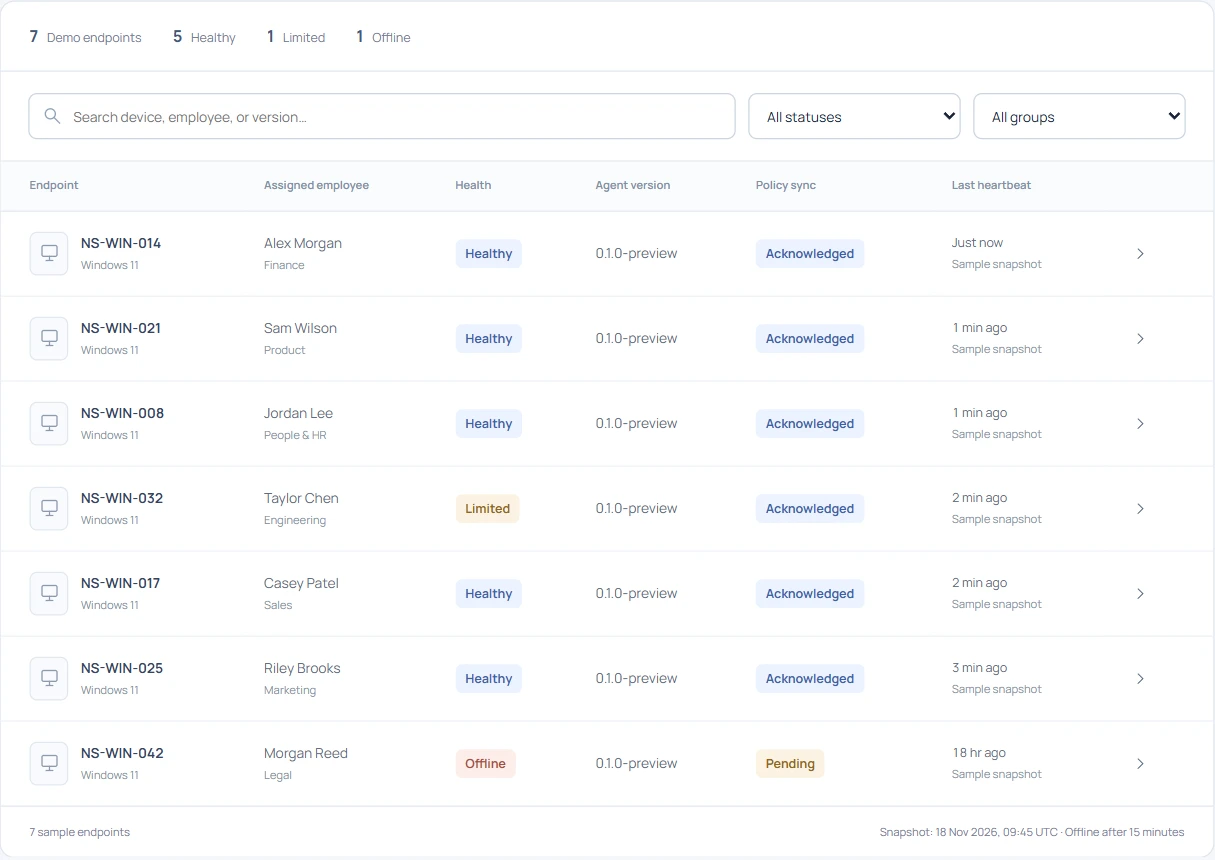
An IT director asks which AI tools Finance uses before renewing an enterprise license. Start with a dated list of the Windows devices Finance owns. Compare it with enrolled agents, recent check-ins and the browsers connected during the review window. Record a reason for each missing device. A laptop offline for the entire week contributes a coverage gap to the report.
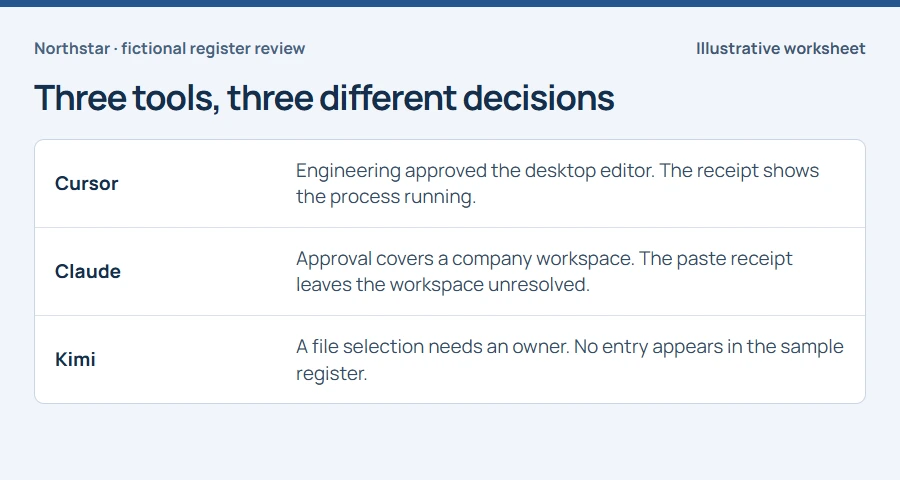
Keep your approved-tool list beside the observed destinations. Label each match approved, under review or owner unknown according to your own policy. The dashboard can supply an observation. The decision about authorization comes from your organization.
Group observations by account and hostname#
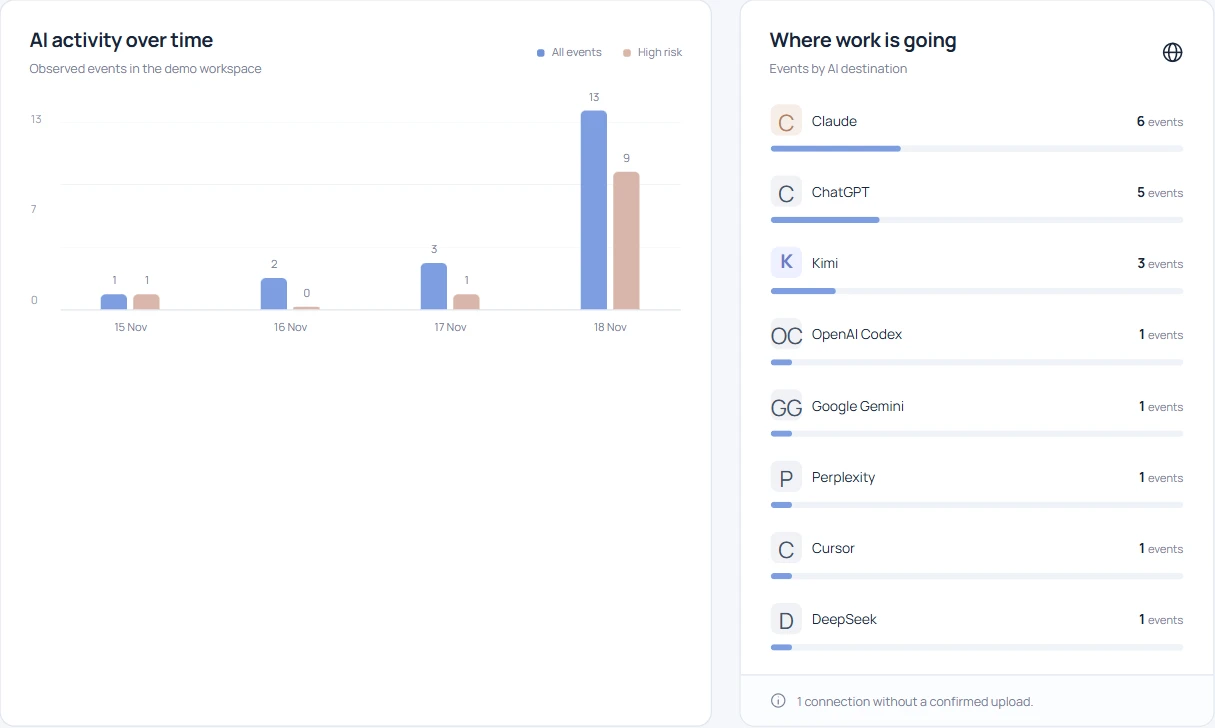
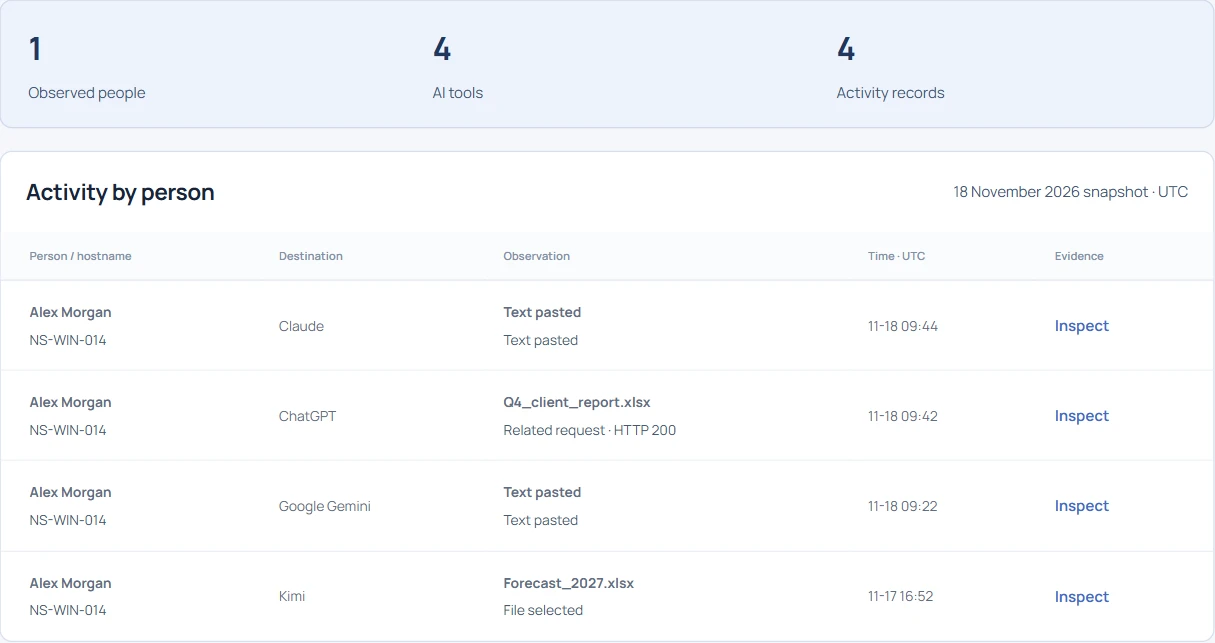
Open Individual AI usage in the demo and search Alex Morgan. A single hostname has observations for Claude, Google Gemini, ChatGPT and Kimi. Keep one inventory row per destination and device, alongside the account and last observed time. If the laptop is shared, check who held the session at that time before attaching a person’s name to a finding.
Give desktop assistants their own evidence label#
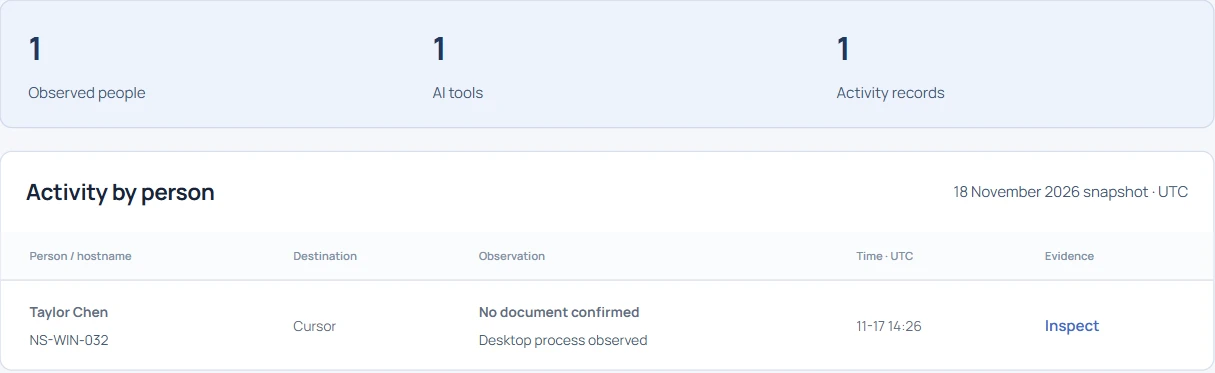
Now search Cursor. The Windows observation identifies an editor running on Taylor Chen’s machine. Enter “process observed” in the inventory and leave the document field empty. This matters when deciding whether to buy an approved coding assistant. Knowing a tool runs on three laptops can justify talking to Engineering. Those three launches cannot quantify how much source code the team sent.
Follow a filename through to its receipt#
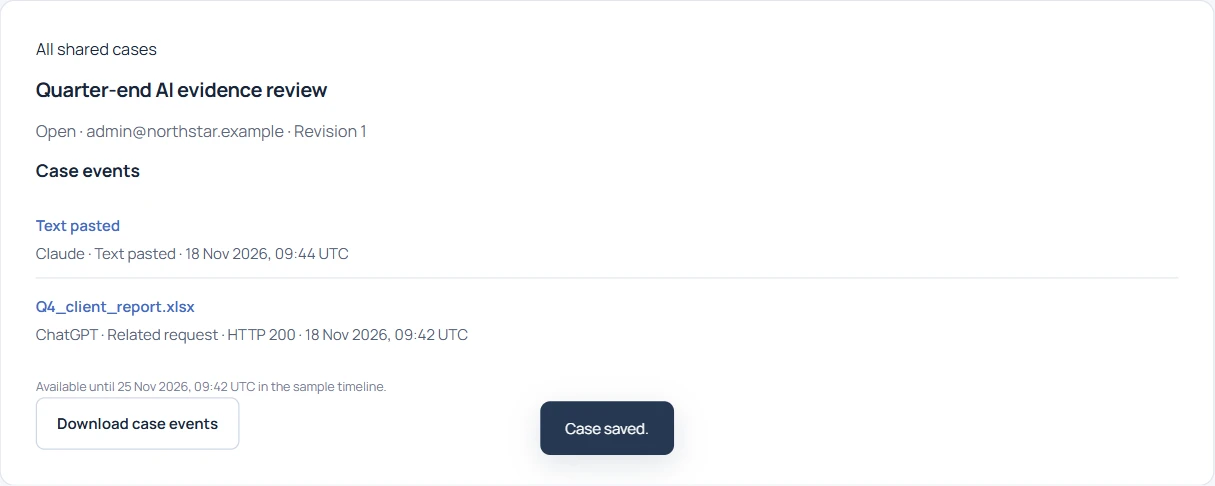
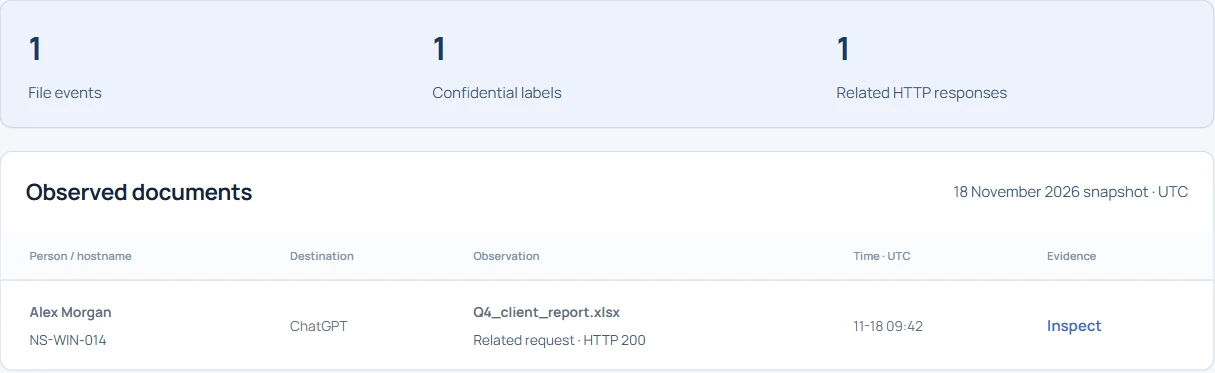
In Confidential documents, search for Q4_client. The matching spreadsheet has a ChatGPT receipt with a related HTTP response. Write down the filename, destination, time and exact action. A successful response could belong to another request on the page. If the decision depends on whether the provider accepted the attachment, record that as an unanswered question and identify the evidence needed to resolve it.
Prioritize destinations with sensitive paste findings#
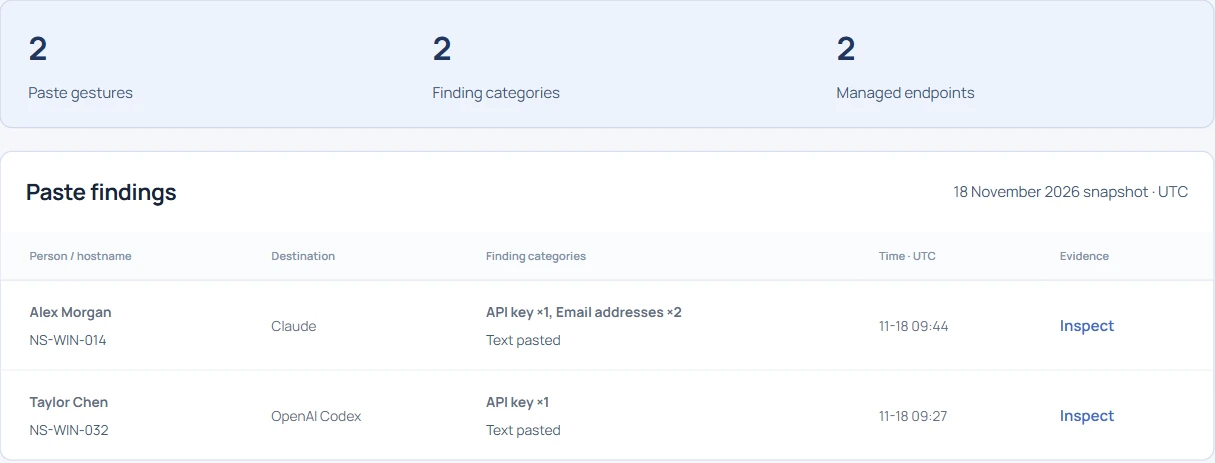
Search API key in Sensitive pastes. The Northstar example returns observations for two destinations. Give the credential owner the device, occurrence time and detector category so they can investigate through their established process. Keep secret values out of the inventory spreadsheet. A detector match still needs review before anyone labels a credential active or exposed.
Close the inventory with an owner and a coverage check#
A useful row reads “Finance pilot / NS-WIN-014 / ChatGPT / file-related response / Finance IT to review approval.” Give it a review date and link its underlying observation. For a quiet device, open agent detail and check the browser connection against the time window. Assign someone to restore missing coverage and repeat the same harmless test after the fix. Deliver the dated inventory and the list of unresolved devices together.