Product, surface, workspace and effective date can each change the approval decision.
- Use the approval that applied at the event time.
- Keep the observed action in the review row.
- Give each missing or ambiguous approval a named owner.
In this article
Which approval was in force on the day?#
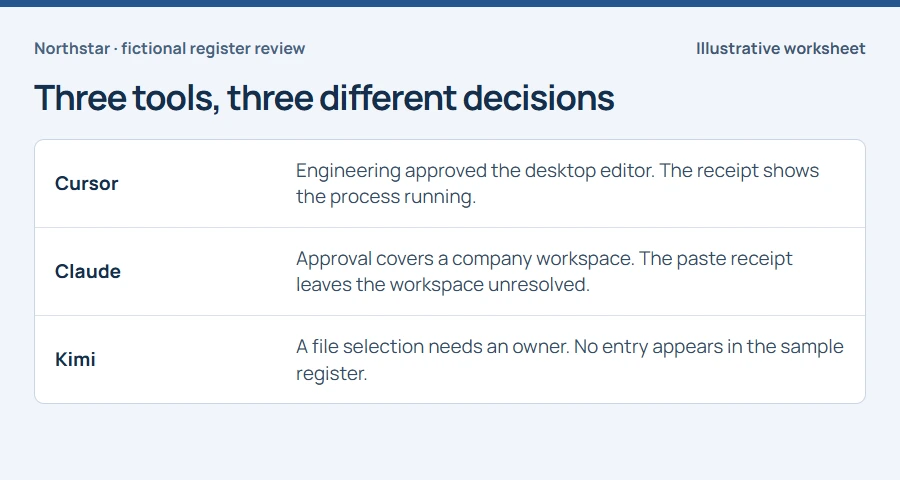
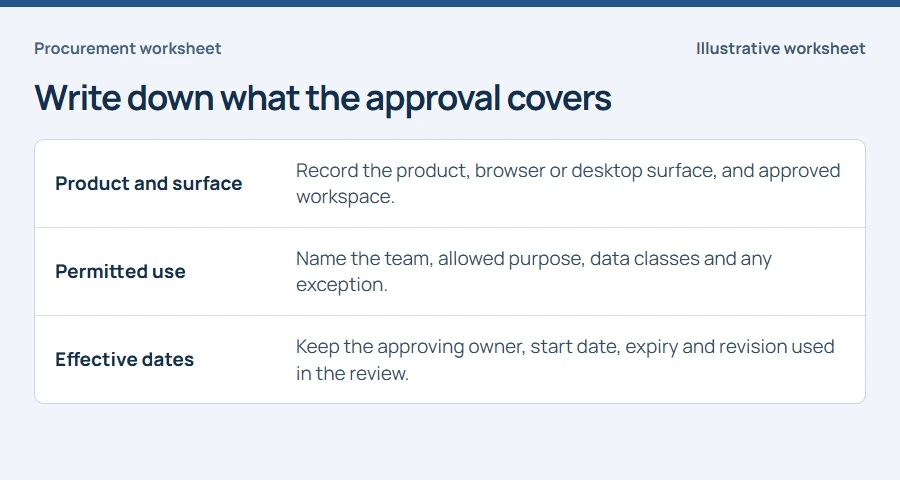
Start with the version of the approved tools list that applied during the reporting window. A purchase made on Friday cannot explain a Wednesday exception unless the approval explicitly covers Wednesday. In the downloadable example, Engineering may run Cursor on managed laptops. Finance may use Claude in its company workspace for public material. Kimi has no entry in this sample. Replace those assumptions before using the sheet in your own review.
Choose the devices and surfaces you can review#
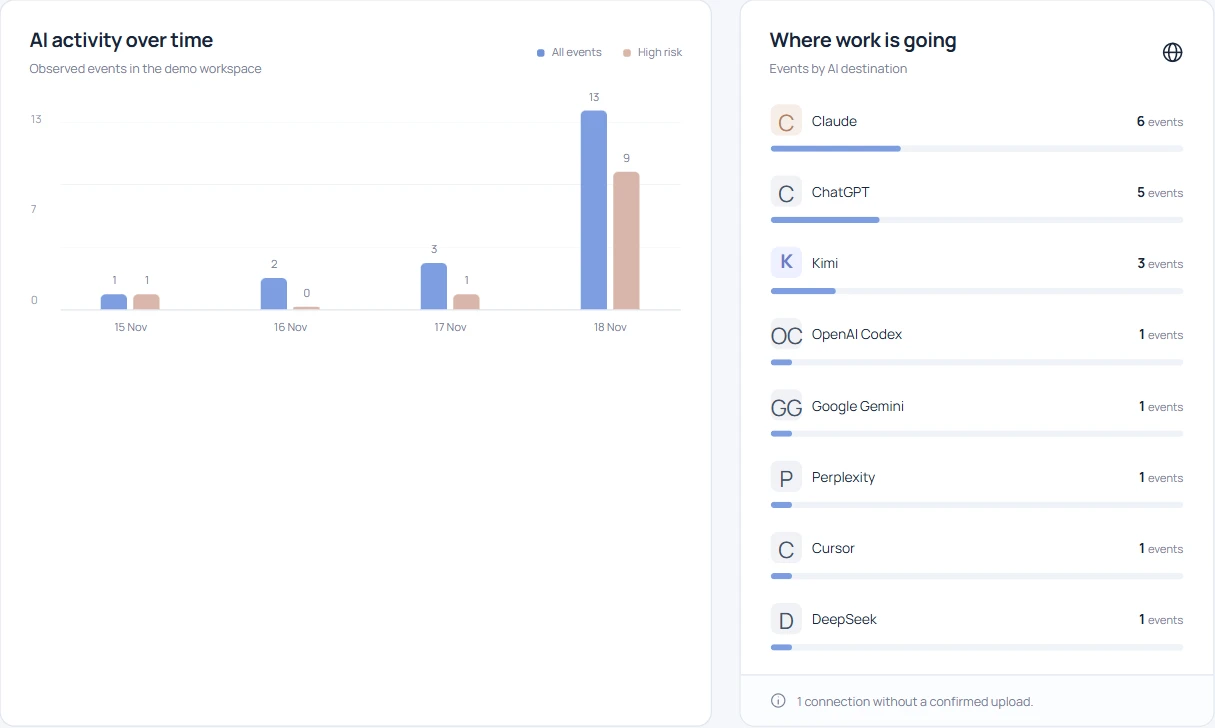
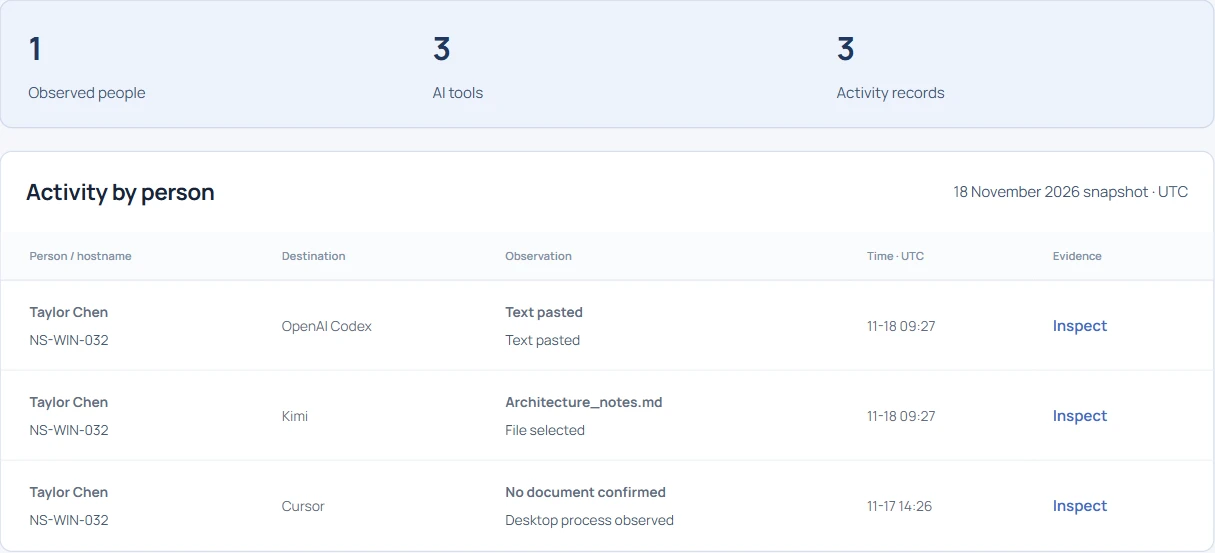
Open Individual AI usage in the demo and search for NS-WIN-032. Copy the product, action and device for the Cursor and Kimi rows into separate lines. Then search NS-WIN-014 for the Claude paste. These three selected observations form the worked sample. For a fleet report, also record the eligible device count, reporting interval and missing browser or agent coverage. An empty row on a quiet laptop is weak evidence about adoption.
Does an approved editor settle the question?#
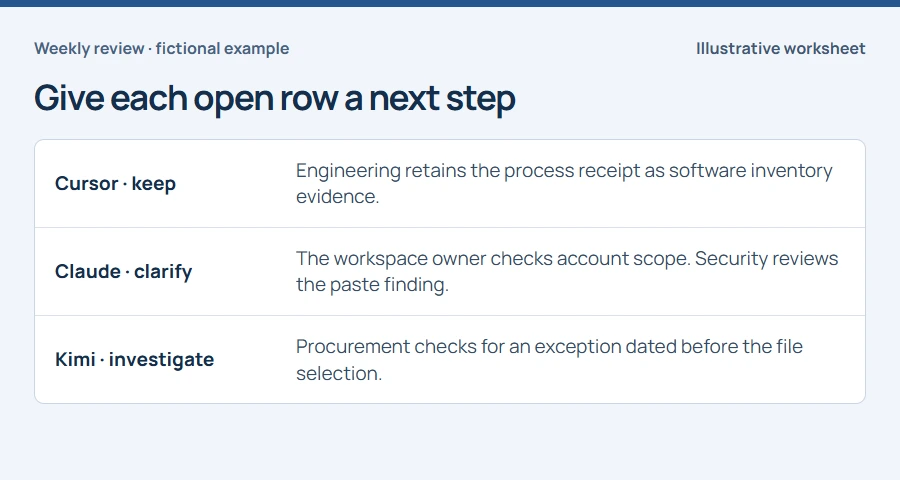
The Cursor receipt establishes that the approved editor was running on the managed Engineering laptop. Leave prompt content, model, repository and active editing time unknown. If a manager asks whether source code went into the model, route that question separately. The inventory row can be complete even while that question remains open.
What if the product matches but the workspace is unknown?#
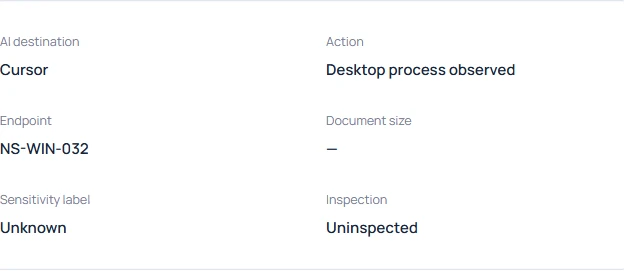
Look up the Claude browser approval and record the condition attached to it. A destination match alone cannot tell the reviewer whether this session used the company workspace. Give the workspace owner the event reference and time for a scoped check. Security can review the detected categories in parallel. Mark the register row “scope unresolved” until the owner supplies evidence.
Who investigates a tool missing from the register?#
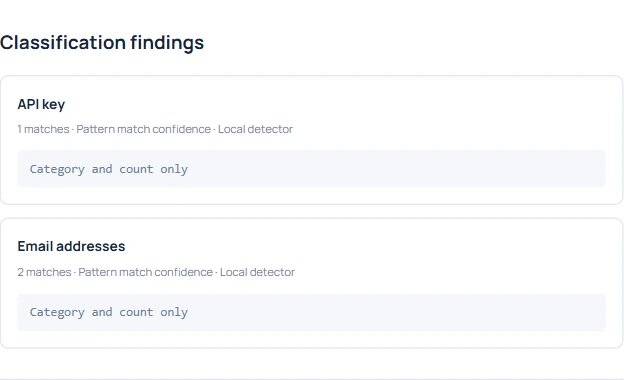
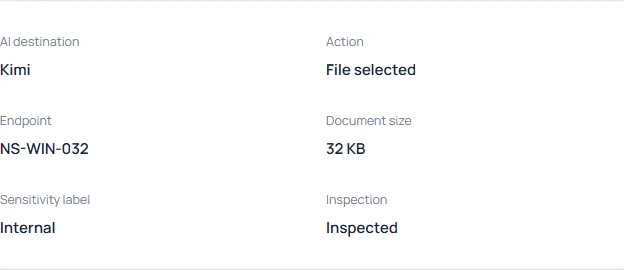
Search the register by product name and documented aliases. Check whether Procurement renewed a parent contract or granted a dated team exception. For this sample, record “no matching entry” and give Procurement a follow-up. Record the observed action as file selection. A missing approval and a completed transfer are separate questions, and the reviewer needs evidence for each.
Publish the exceptions with an owner and a date#
Save the register revision, observation reference, review date, disposition and next owner. Keep “approved but unobserved” as a separate list if Procurement also wants to check underused subscriptions. At the next review, carry open items forward and append decisions with their dates. A later approval can close a current gap while preserving how the original observation was assessed.