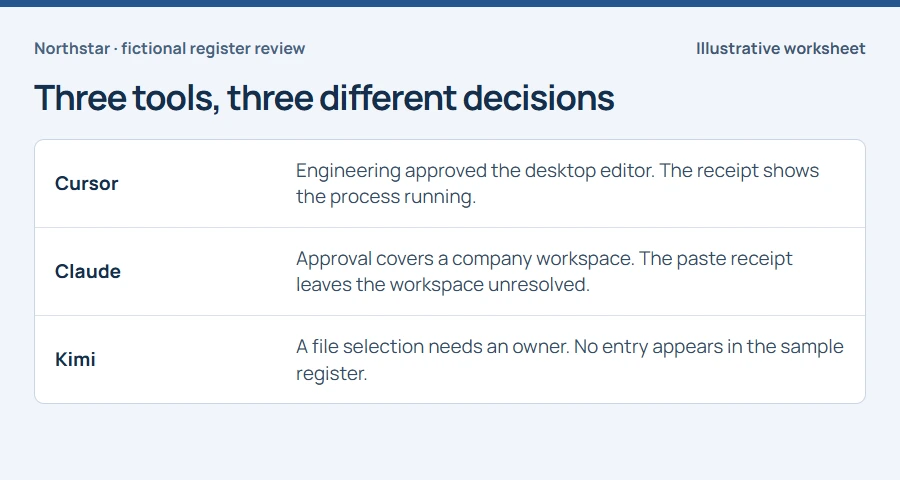
The approval tells you what Finance may do. The receipt tells you what to check.
- Identify the rule for the workspace and data class.
- Assign the credential and business-data questions to their owners.
- Record submission and workspace identity only when the supporting evidence is available.
In this article
Look up what Finance was allowed to do#
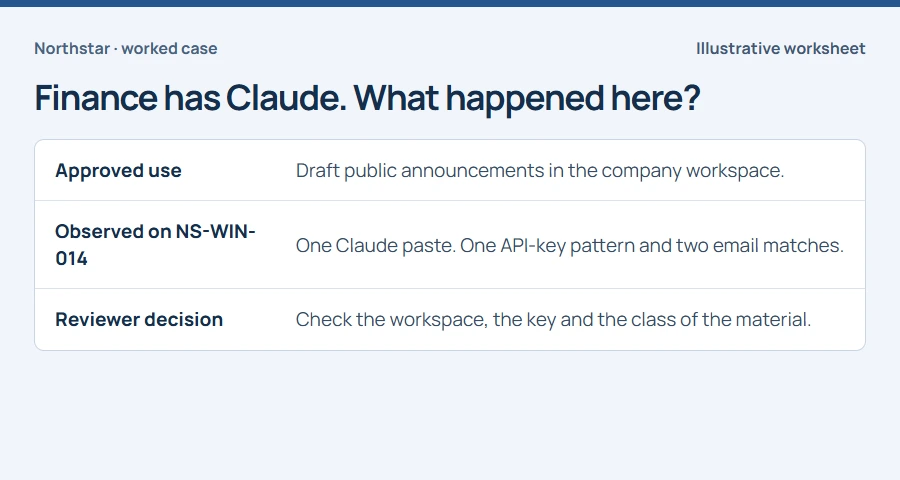
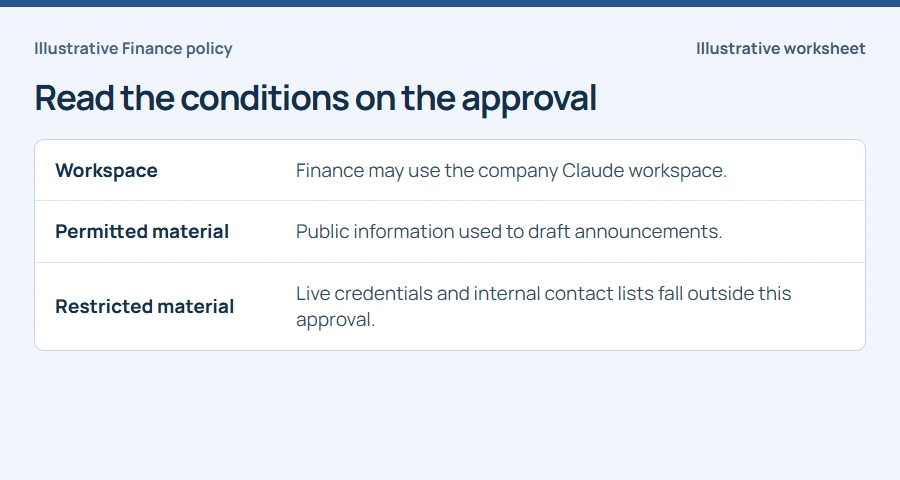
Imagine that Finance has permission to draft announcements in the company Claude workspace using public material. The service appears on Procurement’s approved list. An analyst now needs to answer two more questions. Did this particular session use that workspace? Did the material fit the approved purpose? Record the rule and its effective date before assigning a disposition.
Find the exact paste that prompted the review#
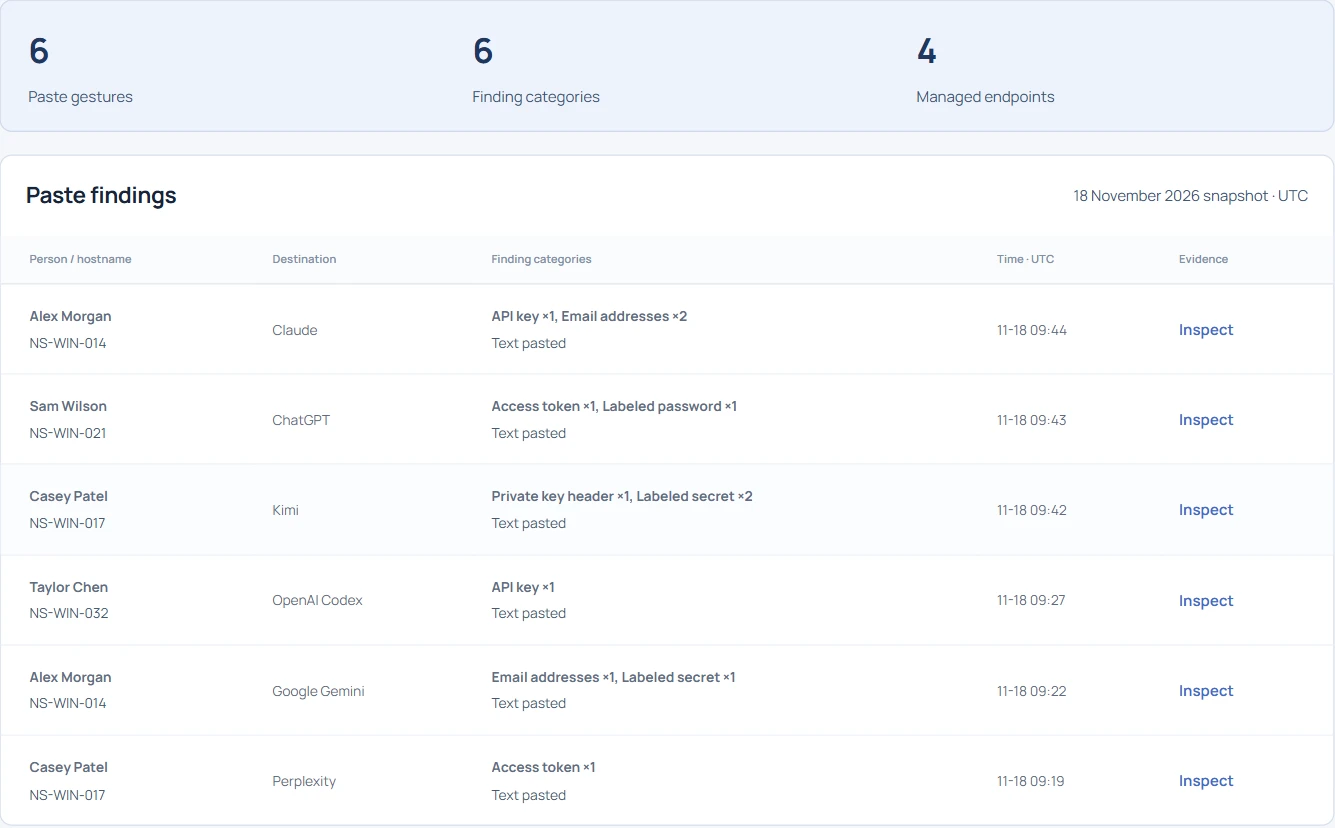
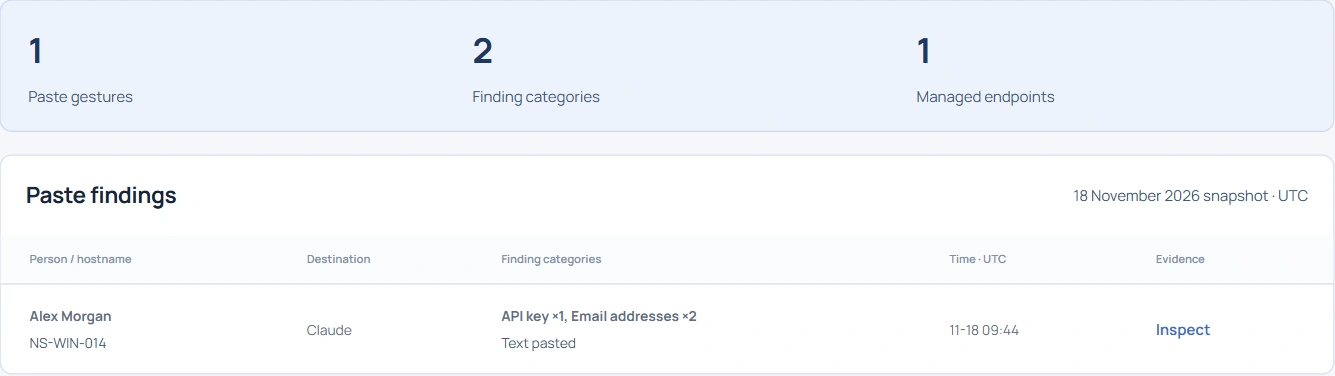
Start with the receipt ID. If the initial report only gives a hostname, narrow the device timeline by destination and time. In Northstar, the row you want is a Claude browser paste at 09:44:30 UTC on NS-WIN-014. Carry the event reference into the worksheet so another reviewer can reopen the same observation.
Decide which owner can resolve each finding#
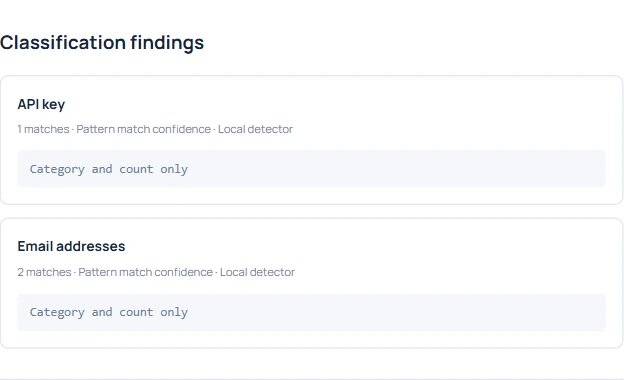
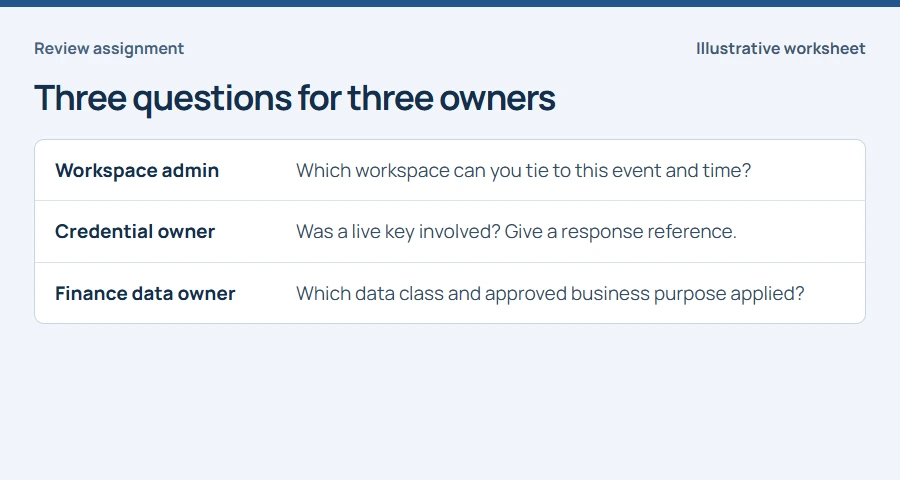
The key-shaped string raises a credential question. The two email matches raise a data-handling question. They could be public contact addresses, internal addresses, or two occurrences of the same address. Ask the credential owner to check whether the task involved a live key. Give the Finance data owner the policy reference and ask what material the task permitted. A category count cannot answer either question.
Check what the browser actually observed#
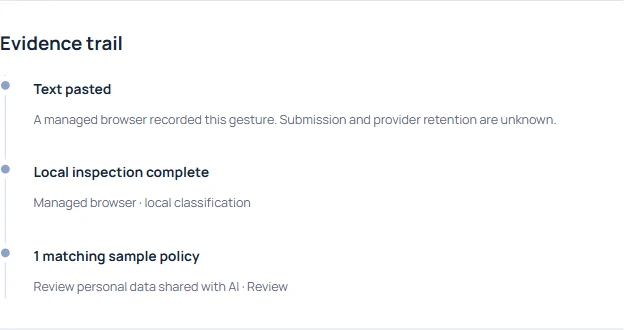
Read the recorded action before writing that data reached a provider. The browser observed a paste on the Claude page. If a provider-side record is available to an authorized reviewer, have them check whether it identifies the same workspace, time and operation. Record what they can establish and leave the rest open. The endpoint finding alone supplies no provider retention history.
Give each owner a question they can answer#
Send the workspace administrator the destination, timestamp and receipt reference. Ask which workspace they can tie to the event. If the credential owner identifies a live key, they can act under the organization’s credential-response procedure while the workspace check continues. For a harmless training fixture, record the fixture reference. Leave sensitive values and screenshots of the prompt out of the ticket.
Close only the questions the owners answered#
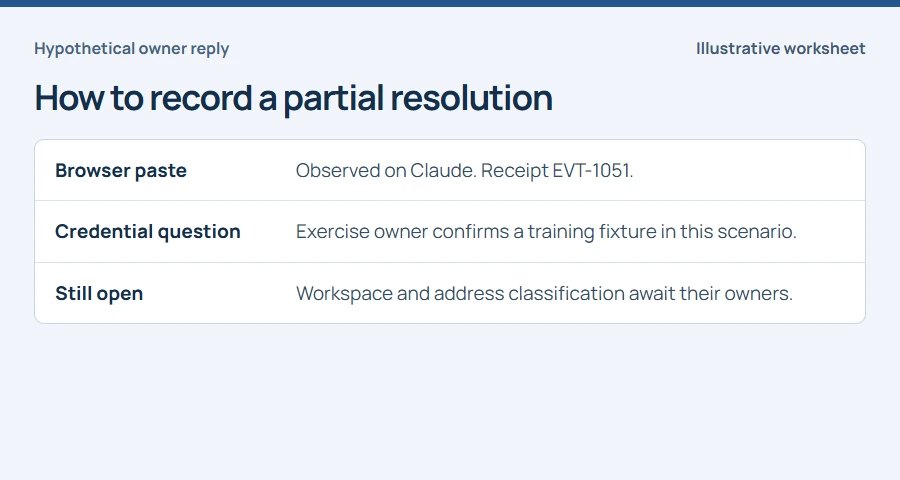
Suppose the exercise owner confirms the key was a training fixture and provides the exercise reference. Resolve the live-key question against that reference. The event still happened. Until there is evidence for the address classification and workspace, leave those items with their respective owners. A colleague should be able to read the ticket tomorrow and tell exactly what would change the decision.