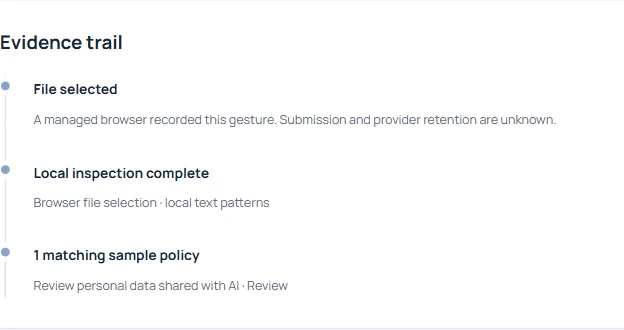
Follow one test from a managed browser to a tenant receipt.
- Check the installation, heartbeat and browser capability separately.
- Repeat the same harmless action on a working device.
- Keep the gap open until the affected device produces its own receipt.
In this article
What does Intune know about the device?#
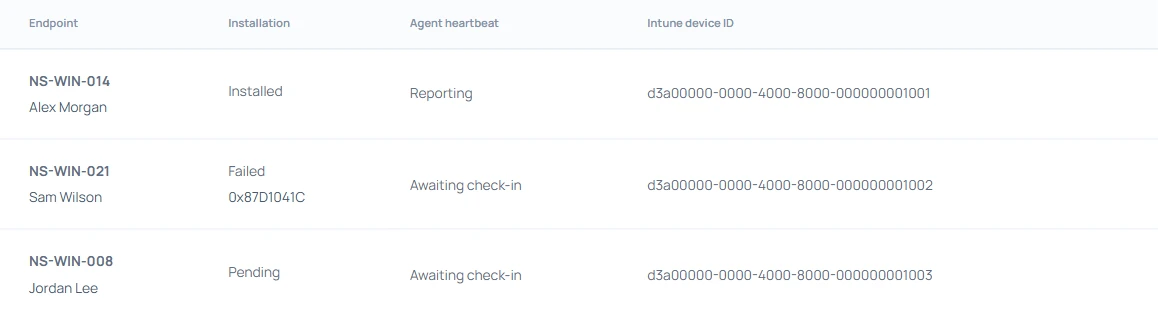
Start with two hostnames, the laptop under investigation and a working laptop in the same pilot. Check the assigned application and its device installation status in Intune. Record when the report was last refreshed. A pending or failed installation belongs with the endpoint deployment owner. If the package shows Installed, look for that hostname in the workspace and continue with the agent heartbeat.
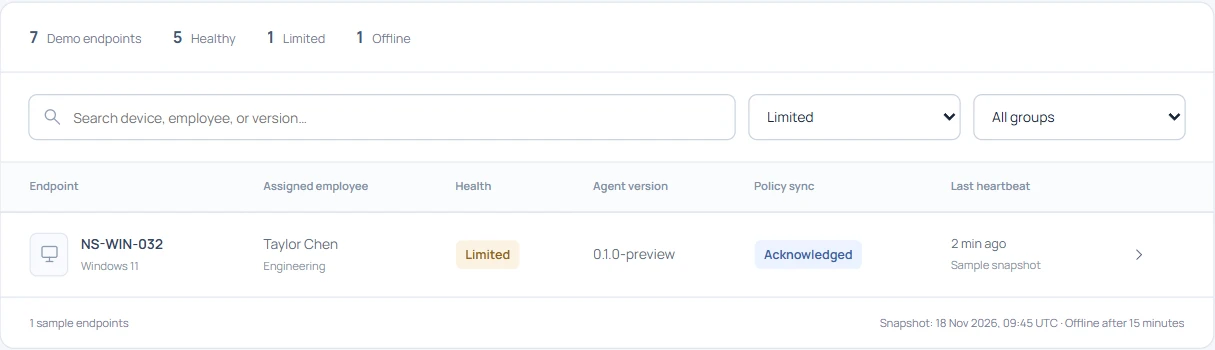
The screenshots use the fictional Northstar workspace. NS-WIN-014 provides the working comparison. NS-WIN-032 is the laptop reporting limited coverage. Keep the two device records separate in your notes.

When did the agent last report?#
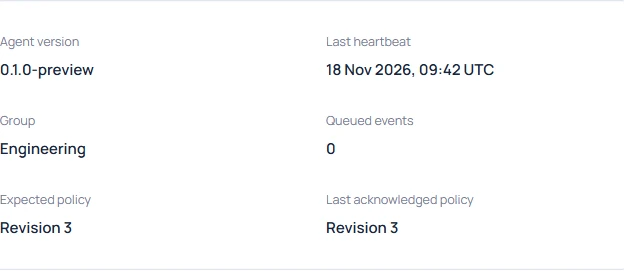
Open Endpoint agents, filter for Limited and select NS-WIN-032. Compare the last heartbeat with the time you expected the browser gesture. Read the expected and acknowledged policy revisions alongside it. On this laptop both are revision 3. That gives IT a reason to inspect the collection source next. A stale heartbeat would send the investigation back to device connectivity and service health.
Which collection source is unavailable?#
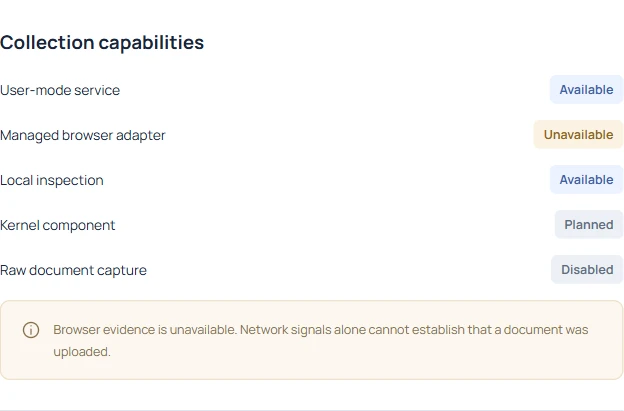
The sample narrows the problem to the browser path. On a pilot laptop, check which browser and profile the tester actually used. In that managed profile, verify the extension is present and enabled, its applied policy covers the test site and it can reach its native host. A successful extension deployment to one profile says little about a test run in a different profile. Record the affected time window as a coverage gap.
Compare the same fields on a working laptop#
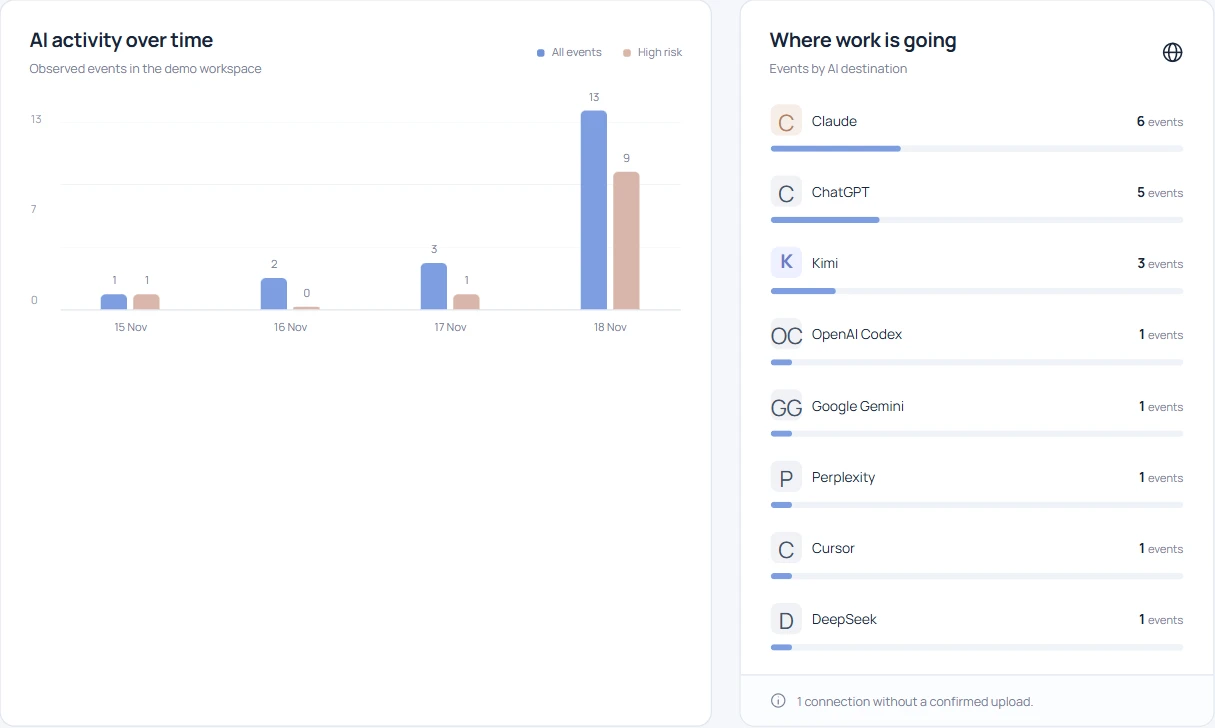
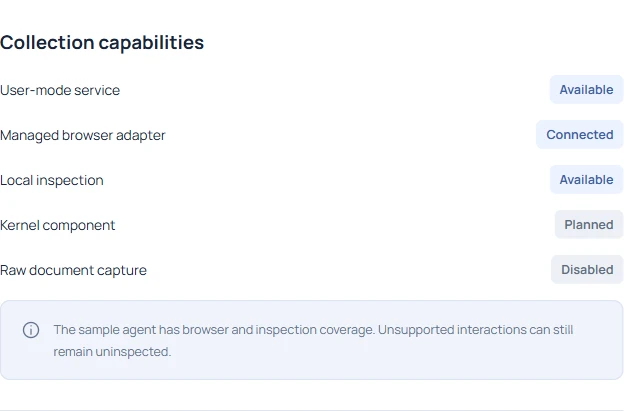
Use the same approved browser, AI destination and test action on the comparison device. Check the supported-tools directory for the surface you intend to test. A desktop editor process and a file selected on an AI website reach the workspace through different observation paths. A process event can arrive while the browser test still fails.
Run one harmless, timestamped browser test#
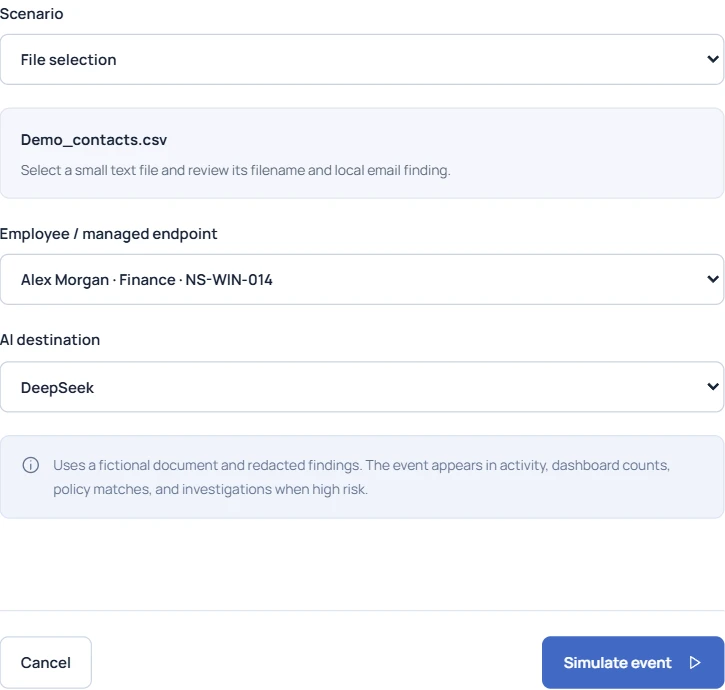
For the real-device test, use an empty text file with a distinctive filename, such as pilot-browser-check-1042.txt. Record the UTC time and hostname, select the file on an approved supported page, then remove the attachment without sending a message. Search for the filename on the correct tenant and device. Test the working laptop first. Repeat on the affected laptop after repairing the adapter, using a second filename so you can tell the runs apart.
Which result closes the ticket?#
Attach the test filename, event ID, hostname, browser, destination and timestamp to the ticket. If only the working laptop produces a receipt, leave the second device open with its owner. If neither does, check the shared site coverage, tenant, ingestion status and search window before changing either installation.
A passing test establishes coverage from that test onward for the surface exercised. Keep the earlier gap in the pilot report. If the next rollout ring depends on paste detection as well, run a separate approved paste test and record its own receipt before expanding.