Follow the Claude receipt from the endpoint to a decision.
- Search the account, hostname or filename that prompted the review.
- Read the gesture, inspection and transfer outcome separately.
- Send the credential question and the document question to their respective owners.
In this article
Find the account and device behind Claude activity#
Start with a question that someone can answer. Suppose your security team receives two reports on the same day. An employee may have pasted a credential into Claude, and someone in Legal selected a vendor contract on the Claude website. Searching for the vendor name will find material for both questions. Combining the results into one incident would link two people and two actions without evidence.
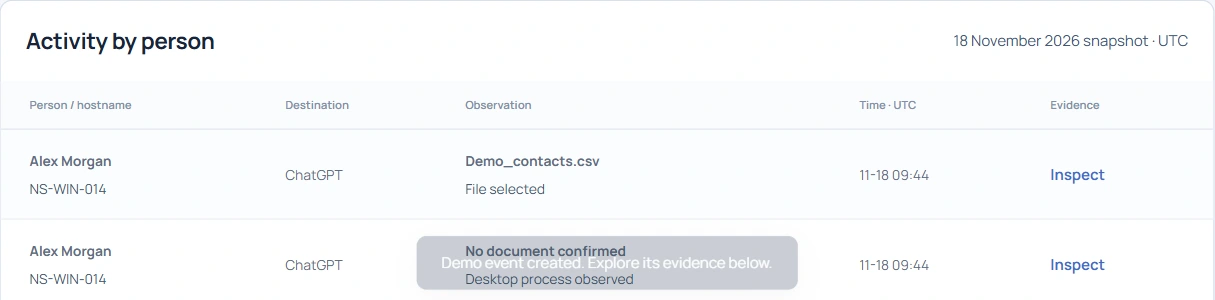
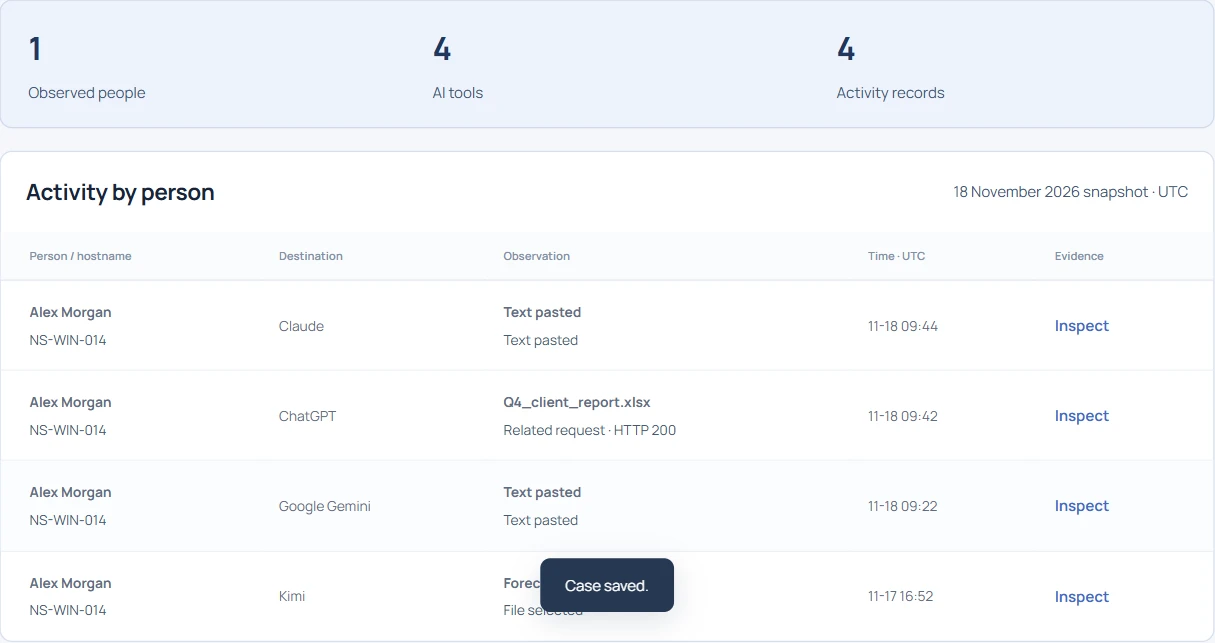
In the public Northstar demo, open Users & AI usage and search for NS-WIN-014. Inspect the row for Alex Morgan’s Claude paste. Note the recorded account, endpoint, time and action. Return to the list and compare the other destinations on that device. This gives you a quick check against a common mix-up: assigning an adjacent ChatGPT or Kimi event to Claude because both appeared on the same laptop.
On a company device, verify who was using the Windows session when attribution matters. The person assigned a laptop today may be different from the person who used it during the event. The provider workspace may also need separate confirmation. An authorized Claude workspace administrator can check whether that account had access during the interval under review.
Read the secret and PII findings on one paste#
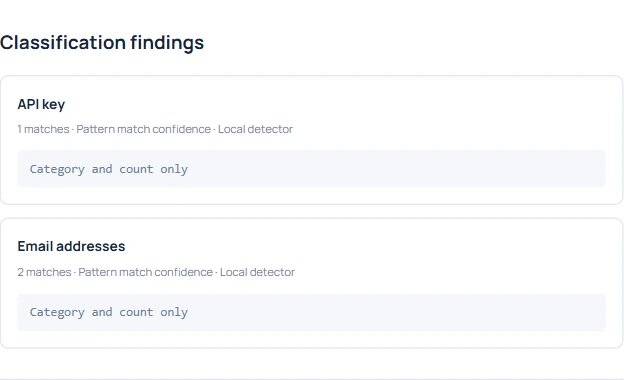
Open Sensitive pastes, search for Claude and inspect the sample receipt EVT-1051. One category identifies a key-like pattern. Another identifies two occurrences of email addresses. An investigator can route the first question to the credential owner and the second to the data owner using the same event reference. The dashboard counts describe detector matches. They establish neither the number of affected people nor whether a key was live.
For a real credential alert, give its owner the event identifier, approximate time, destination and authorized source context. Ask whether a credential for that system could have been present and whether they need to rotate it. Leave the secret out of email, chat and case titles. If the string came from a training fixture, the owner can supply the test reference. If they confirm a live key was involved, record the response decision and the owner who took it.
Check whether the event establishes submission#
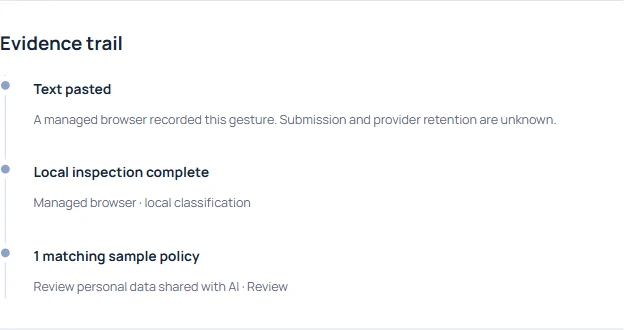
In the Claude receipt, read the evidence trail in order. The browser observed a paste on the page, local inspection found the patterns, and the example matched a monitoring rule. The employee could still have edited or cleared the draft. For this receipt the supported conclusion is that text containing those patterns was pasted into Claude on the recorded device.
This distinction changes the handoff. A credential owner may decide to act immediately on a credible paste, even while submission is unknown. Someone preparing a formal account of what reached an external provider needs additional evidence. Identify which question you are answering and retain the event reference so a second reviewer can check your wording. A desktop process observation or a Claude Code installation is a separate source again. Neither identifies the contents of a browser prompt.
Search for the contract by filename#
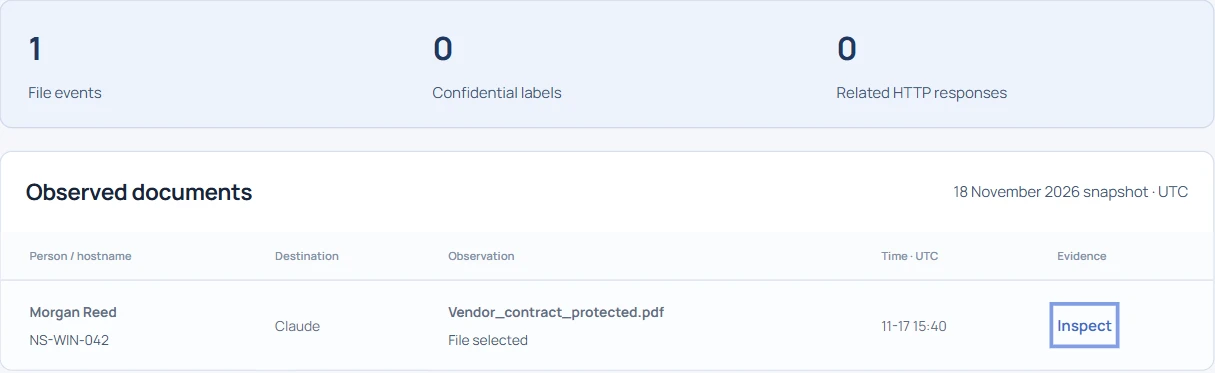
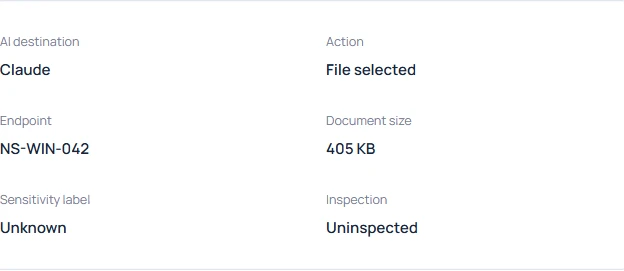
Now open Document activity and search for Vendor_contract_protected.pdf. The Northstar sample points to Morgan Reed’s device and a Claude file-selection event. Read the original action and compare the endpoint with the paste investigation. This is a different person and a different file. Give the legal team its own question: which revision did that filename refer to on the date of selection?
Legal may have a signed contract, an unsigned draft, and a redacted public version with very similar names. Ask for the revision reference or approved source location. Check the available size and time against that answer. A filename provides a useful search key but rarely identifies the sensitivity of a particular version on its own. An exact-name search can also miss a renamed copy. If the reporter is uncertain, narrow the destination and time first, then review nearby file actions.
Interpret protected attachments and transfer outcomes#
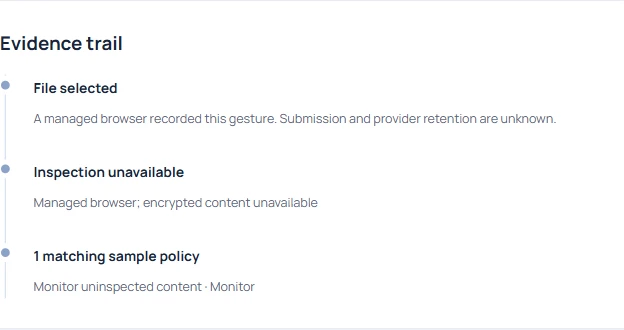
The sample contract is protected. The browser recorded a file gesture on Claude and the inspection could not read the document contents. Treat its classification as unknown. An empty PII list in this situation gives Legal no basis to clear the document. Ask its owner whether the revision contained confidential terms and whether the intended use was authorized.
The search in the cover image shows zero related HTTP responses for this example. A browser file selection can precede a canceled dialog, an upload failure or a transfer the integration did not observe. If a correlated response exists in your environment, preserve its status and time. Even a successful request answers a narrower question than provider retention or later use. For this example, a short and defensible summary is “Protected contract selected on Claude. Contents unavailable to inspection. Transfer outcome unresolved.”
Hand the finding to someone who can resolve it#
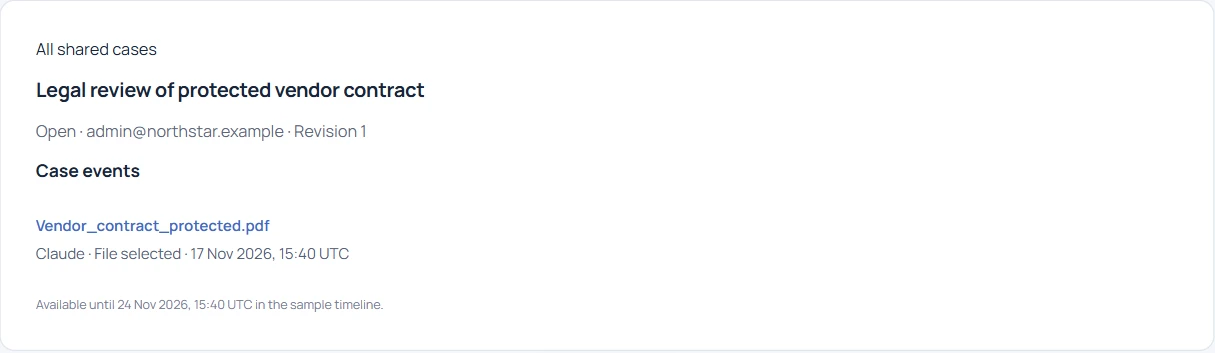
Open the contract observation and start a case with the event. Give the case a title that identifies the decision, such as “Legal review of vendor contract selection.” Assign someone who can establish the revision and the permitted sharing conditions. Keep the Claude paste in its own case unless you find evidence that connects the two.
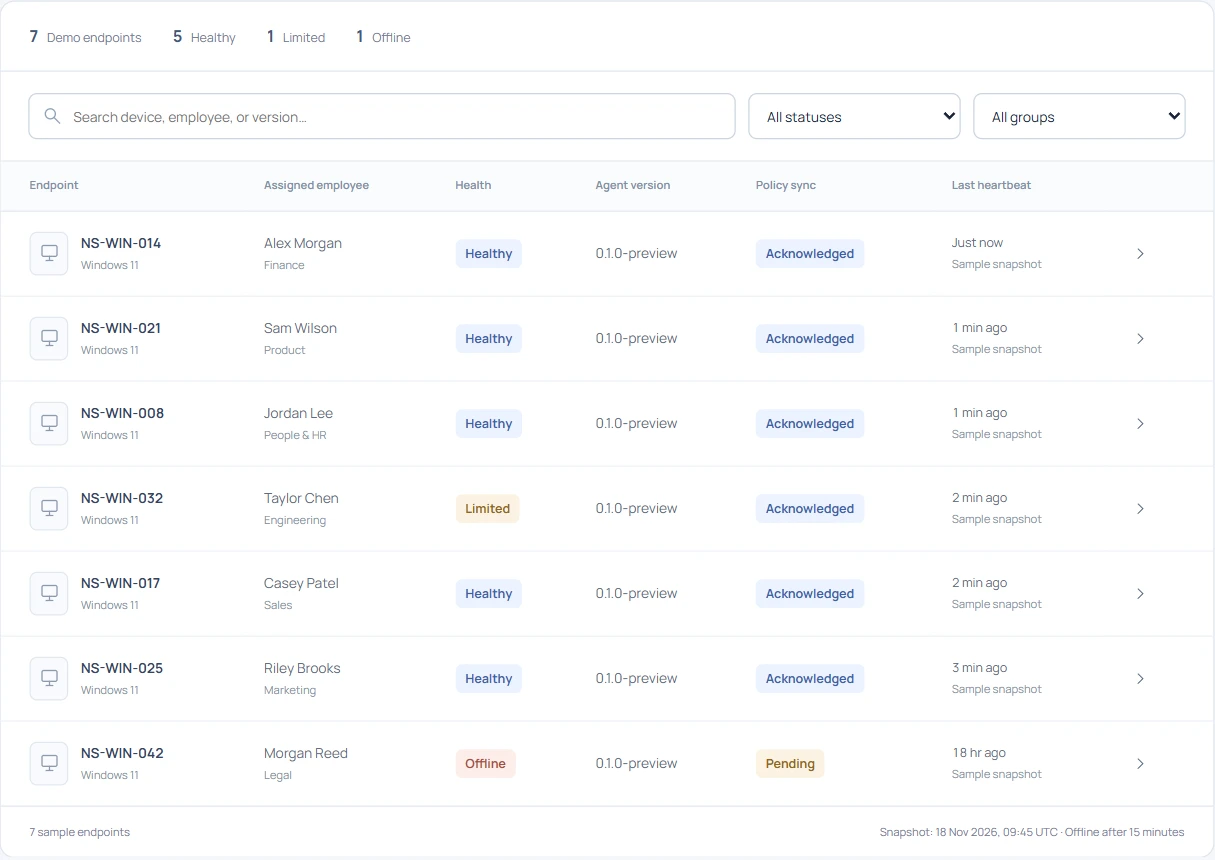
Close each review with a concrete outcome. Legal might confirm the selected version was already approved for external release, or might ask for an authorized provider-side check. The credential owner might document a revoked test key or rotate a live credential. If a prevention rule is required, an administrator can select the intended tool and action, then check policy delivery on the relevant endpoints. Test the rule with a harmless sample before relying on it. This gives the business a usable record of what happened, what remains unknown, and who acted.