
Identify the right file
Compare the filename, device, account, size and event time. Two files called forecast.xlsx can belong to different teams or contain different data.
Start with the filename your data owner gave you. Find the managed device that selected it, the AI destination and the evidence available about what happened next.
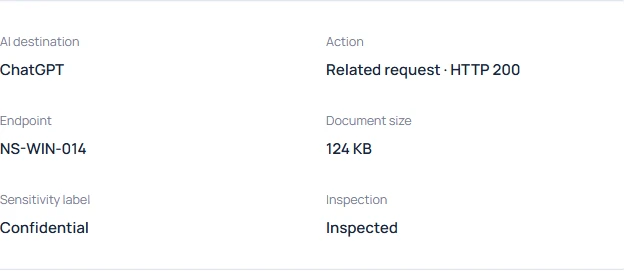
Compare the filename, device, account, size and event time. Two files called forecast.xlsx can belong to different teams or contain different data.
A file selection can end in cancellation. A related HTTP response adds information about nearby network activity. Provider acceptance of a particular file needs its own evidence.
Read the inspection status beside the finding counts. An encrypted attachment can have an observed filename and destination while its classification remains unknown.
Check which browser and desktop observations are available for your AI tools, then work through a fictional receipt before testing with a harmless sample of your own.