A ChatGPT process identifies a running app. The browser record tells you which file was selected.
- Check the action and source on each observation.
- Search the filename to find its own request history.
- Verify the session before attributing the action to a person.
In this article
Read the Windows process observation#
An analyst gets a short question from Finance. “Did someone send a contact list to ChatGPT from this laptop?” Start with the source of each record. A Windows agent can recognize a running ChatGPT process during a sample. The application may have been sitting in the background.
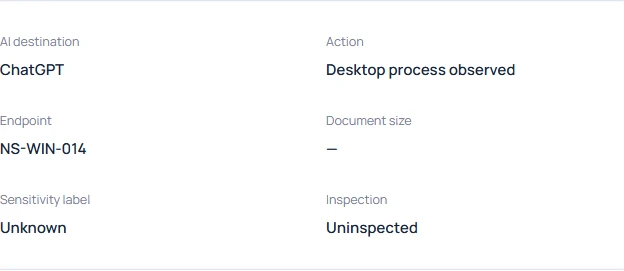
To reproduce the example, open the Windows process simulation linked below, choose NS-WIN-014 and keep ChatGPT as the destination. In the resulting detail view, read Action and Endpoint. Document size is blank because this source has no file to measure.
Check what the process sample can support#
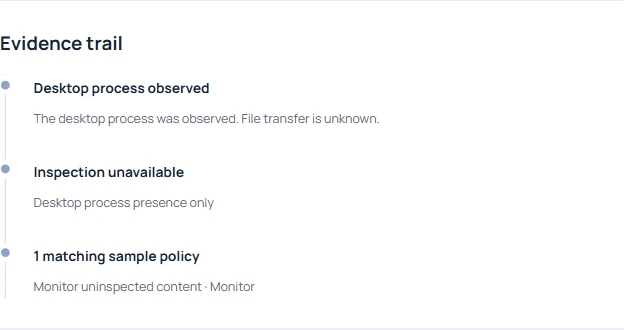
Open Evidence trail. The source is desktop process presence. Record the sample time if you are building an inventory of running AI applications. Counting each heartbeat as another employee interaction would inflate an adoption report. A sample also leaves gaps between observations, so it cannot give you session duration.
For the Finance question, leave both the document and the sender unresolved. A Windows account or assigned device owner can help locate the right session. A shared workstation calls for an account and session check covering the event time.
Open the browser file selection on the same laptop#
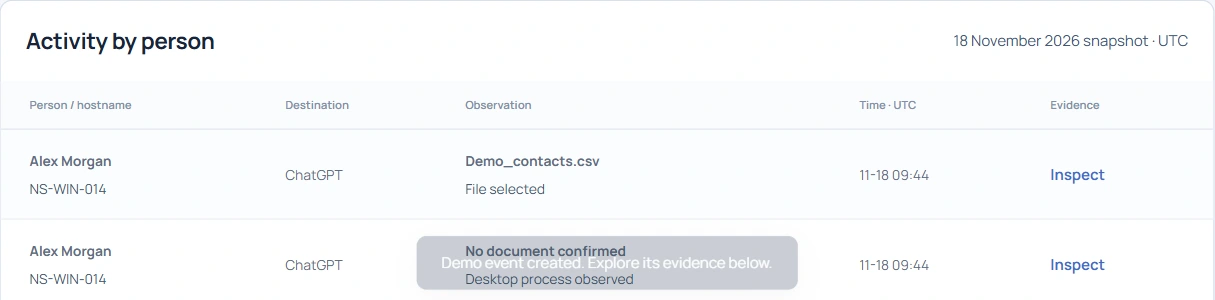
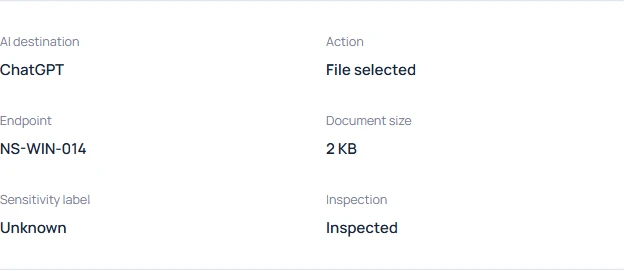
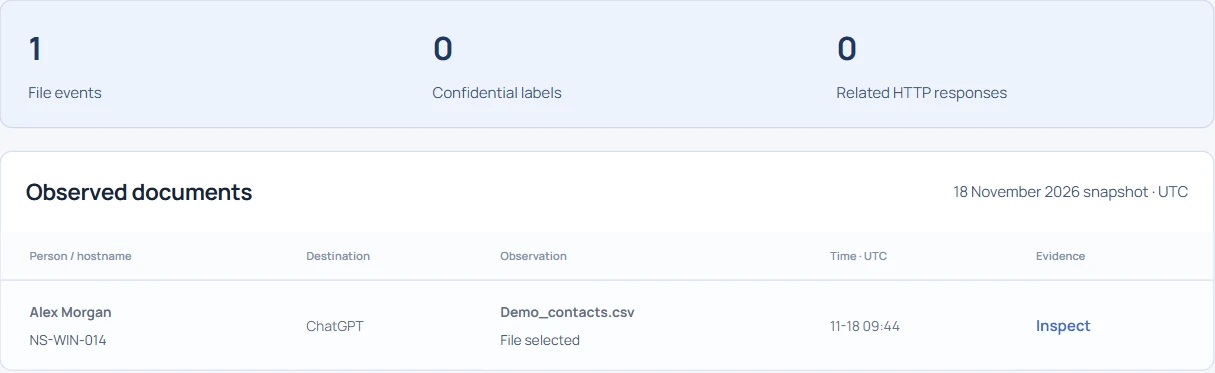
Run the file-selection example in the same demo enterprise and choose NS-WIN-014 again. This time the browser records Demo_contacts.csv on a ChatGPT page. It reports a 2 KB file and a completed inspection. An investigator now has a filename to search and a browser action to review.
Both records can exist in the same minute. The desktop process could still be open while the user works in the browser. The matching device, time and product name give you a reason to compare the records. They do not establish that the desktop application handled the CSV.
Follow the selected file to its transfer evidence#
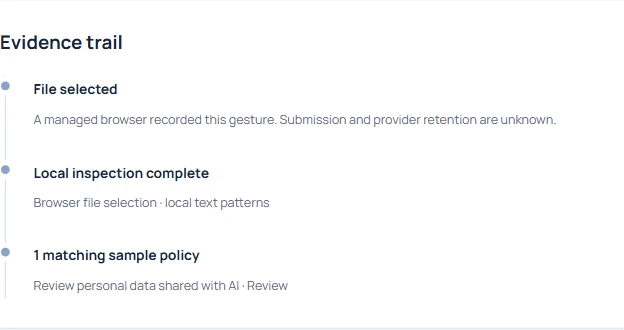
In Evidence trail, read the recorded action before interpreting a detector result. The file-selection record shows that a managed browser saw the gesture and the local inspector examined the file. A user can remove an attachment before sending a message.
If a related HTTP response exists, keep its status and request reference with the selection. When the decision depends on provider acceptance, look for an authorized attachment or conversation audit record that identifies this file and workspace. Leave acceptance open when that evidence is unavailable.
Count the file once in the document search#
Open Document evidence in the demo and search Demo_contacts.csv. This exercise produces one file event and zero related HTTP responses. Open Individual AI usage and search ChatGPT to see the process observation alongside the file selection. An earlier receipt for a different file on the same laptop has its own transfer history.
For a pilot report, count distinct endpoints that ran the application separately from browser file selections and confirmed transfers. This gives a buyer three reproducible measurements and makes it clear which collection source a missing result belongs to.
Write down the open question for the next reviewer#
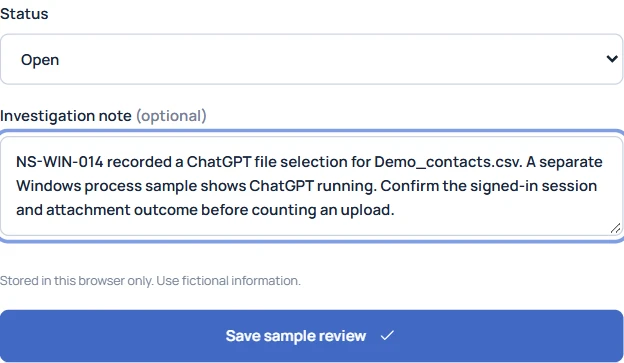
A defensible answer to Finance is short. “The browser on NS-WIN-014 recorded selection of Demo_contacts.csv on ChatGPT. The Windows agent also saw the desktop application running. We have no transfer confirmation for this file.” Include the two event references and their times in the authorized case.
Give the endpoint owner the session question and the ChatGPT workspace administrator the attachment question. Keeping those requests specific helps both reviewers respond without asking anyone to send the underlying contact list.